
Dishwasher water hardness setting
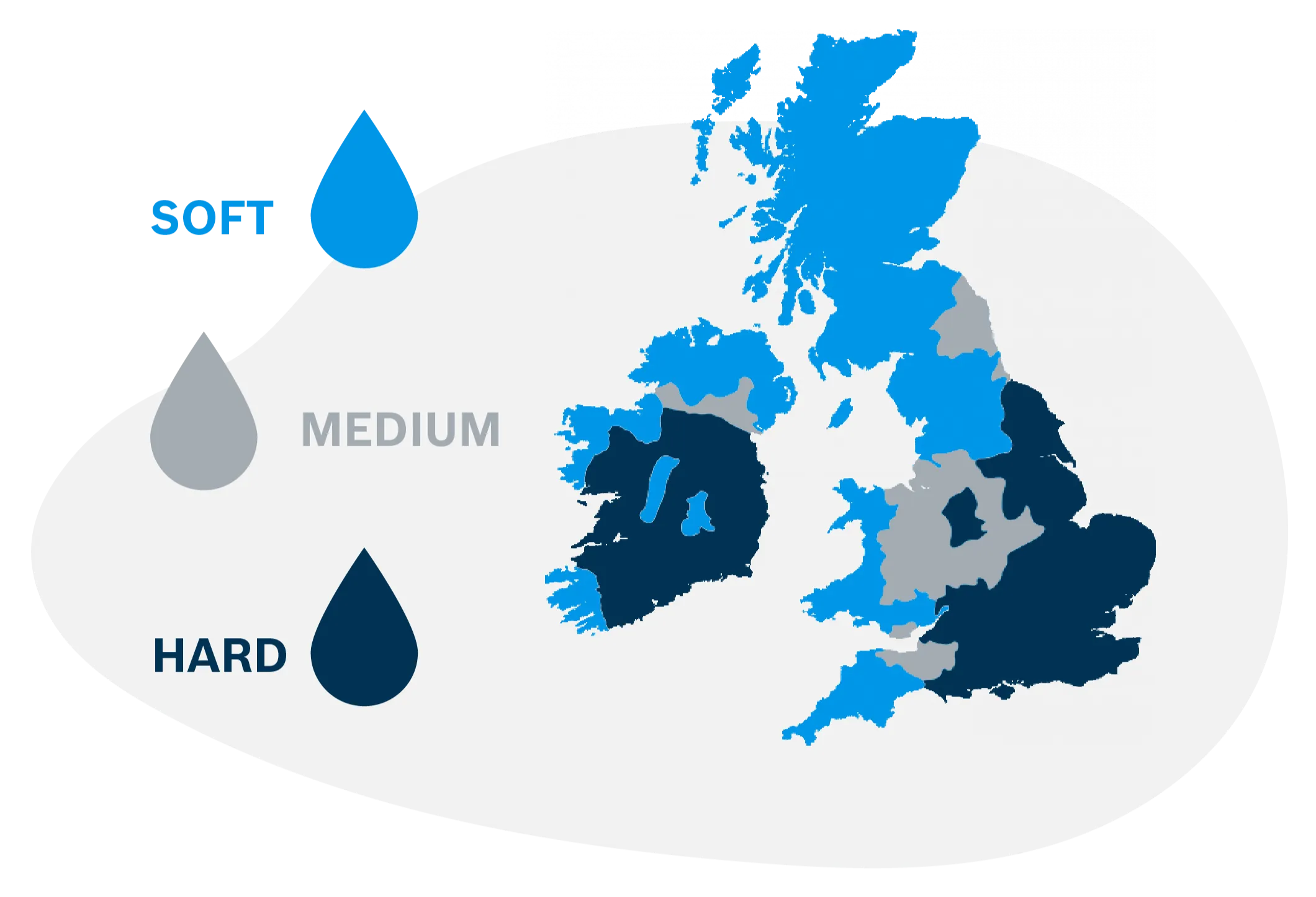
Water hardness varies depending on where you live. Use this guide to set up your dishwasher for the water hardness in your area, so your dishwasher uses the right amount of salt and you get the best possible results.Is my water hard or soft?
Step 1 - identify
Find out the water level hardness in your area. You can do this by contacting your water supplier or by doing a postcode search on their website.
Alternatively, you can purhase our water hardness strips for a completely accurate result.
Step 2 - convert
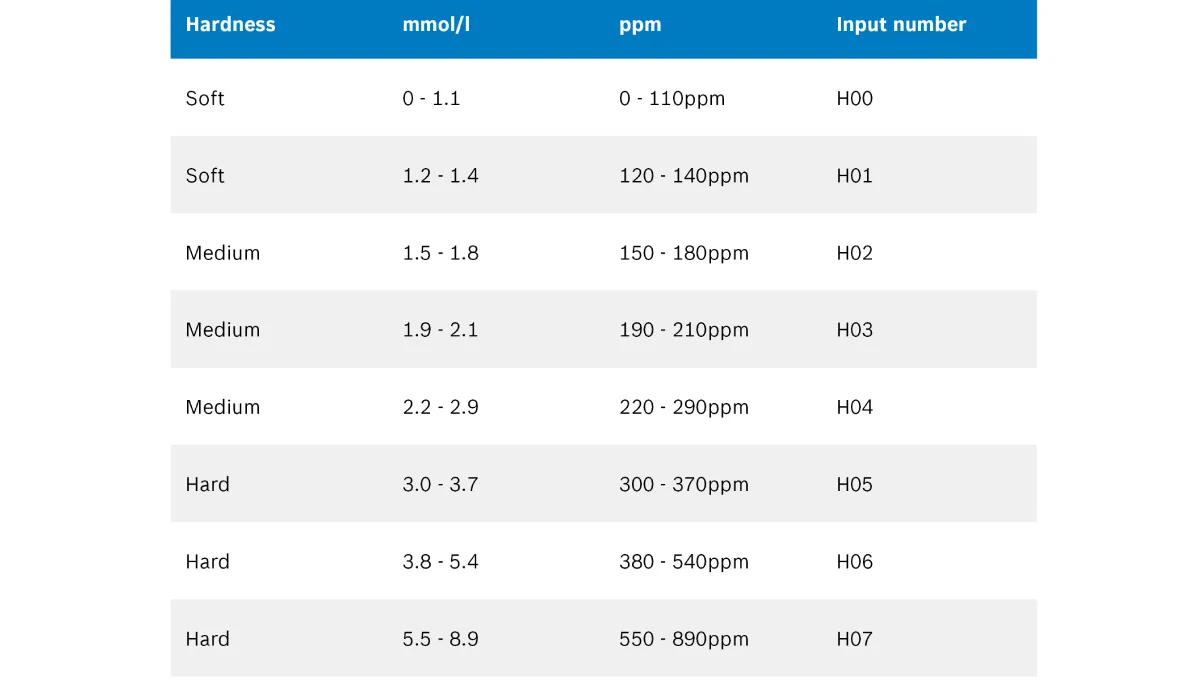
Convert your water hardness to the input number using this table. For example if your ppm is 120-140, your input number would be H01.
Step 3 - enter
Open settings by holding the Setup button (for appliances without this button, hold SpeedPerfect/VarioSpeed) for 3 seconds
- Enter your input number by pressing start repeatedly
- Save the settings by holding Setup (or SpeedPerfect) again for 3 seconds
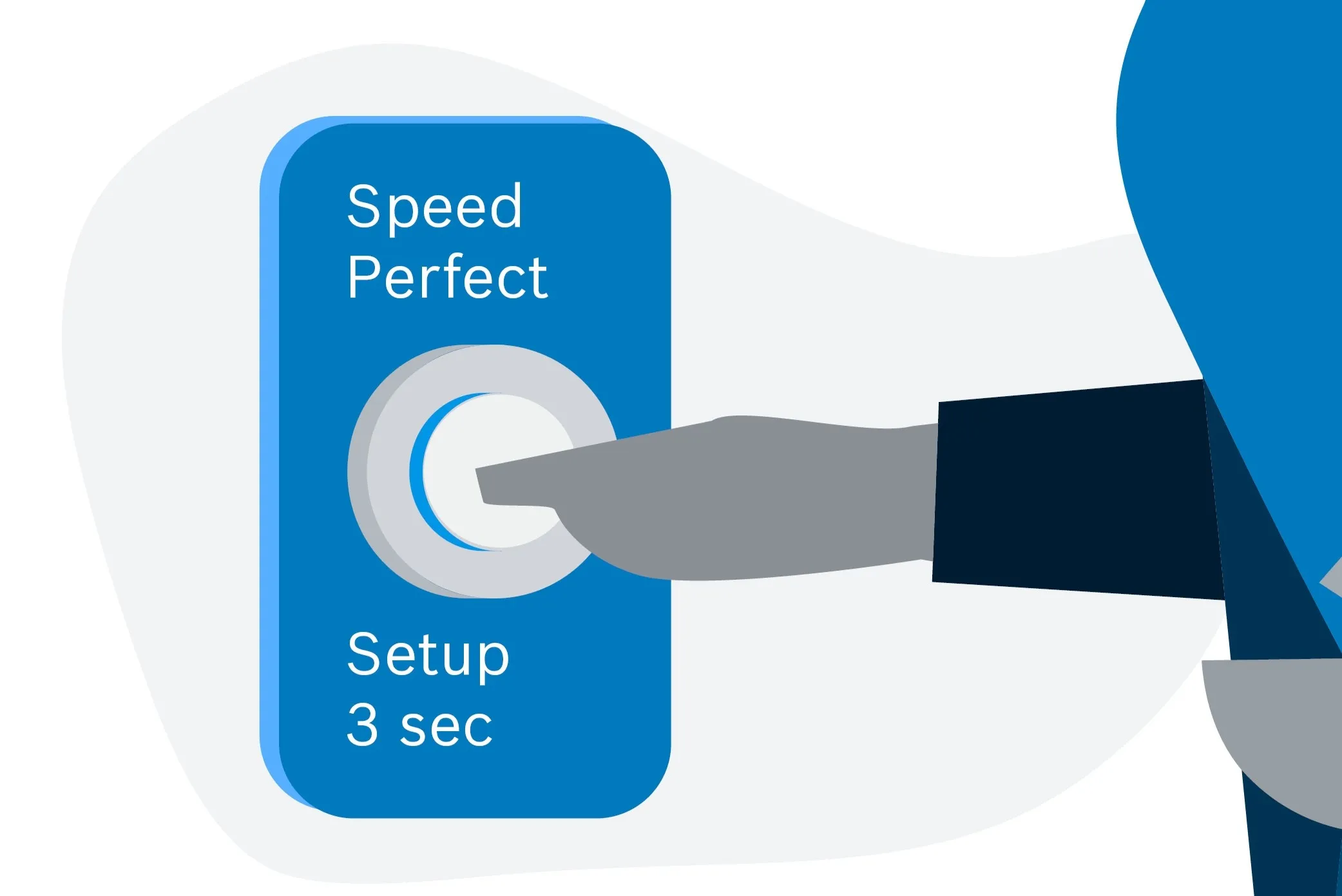
Some dishwasher models may vary
If your appliance doesn't reflect the guide above please check your instruction manual.